Geni.com Privacy Policy
Geni.com ("Geni," "we" or "us") has implemented this Privacy Policy to provide our registered users ("Members") and unregistered users and visitors (collectively "Users" or "you") information regarding the collection and use of your Information on Geni.com (the "Website"), so that you can make an informed decision about your use of the Website.
This privacy notice explains:
What Personal Information we collect, when and how we use it
We only collect information that is necessary for providing you with the service, where we have a legal obligation to collect such information and for our legitimate interests. Here is a list of the categories of information we request, collect or you provide:
- Personal Information: We collect individually identifiable information, namely information that identifies an individual or may with reasonable efforts cause the identification of an individual, or may be sensitive in nature ("Personal Information"). Such information is collected in the following instances:
-
We will ask you to provide Personal Information if you choose to register with Geni, including your name, email address and your date of birth, address, and other information. Geni also asks you for email addresses for you and your relatives, as necessary in the course of building your family tree. Do not supply to us or disclose on the Website any Personal Information (except for a name to be used only as a placeholder) of any person under 13 years of age, as we do not intend to collect information from anyone under 13 or invite to them to participate in the Website. Please check our parental safety page for information regarding the protection of children. If you provide Personal Information of a relative or another person e.g. an email address, we expect you to ensure that they know you are doing so and are happy with their information being provided to Geni. We will process their Personal Information in accordance with this Privacy Policy so please encourage them to read this policy to find out more.
-
You may also provide Personal Information to include in your profile or your family member's profiles to tell others about yourself or those in your family tree, or when taking advantage of promotions, responding to surveys, or subscribing to newsletters or other lists.
-
We will use this information as explained below:
-
If you submit registration or profile information to us through the Website, then we use this information to provide you with our service, operate, maintain, and provide the features and functionality of the Website.
-
Geni will use your email address to complete the signup process, and will use your relatives' email addresses to invite them to join your tree.
-
Geni will send you service-related notices, including among other things notices required by law, in lieu of postal mail. You may not opt out of service-related e-mails.
-
In addition we will need to know your postal address, phone number and payment details to facilitate payment and fulfilment for any subscription or purchases you may choose to make through the Website.
Members in your family tree will have access to the profile information you post (including any Personal Information). Note that those Members could forward this information to other Users or non-Users. You can set the privacy settings on your account to control access to the information in your profile by other Users or Members.
-
Geni allows Users to upload DNA test results for themselves or relatives for whom they have legal permission to do so, both with the Family Tree DNA Connector application as well as uploading raw autosomal DNA files.
-
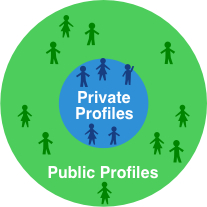
Geni will use these DNA test results to match against other DNA Users, confirm or refute connections in your tree, and display genealogically-relevant information about the origins of your DNA. The DNA markers and mutations will NOT be displayed to Geni Users, even yourself. Some DNA markers can and will be propagated through your family tree, including to public profiles that may be viewable by other Geni Users as well as visitors not logged onto the Website. You may choose to hide your name and profile link from persons outside your Family Group on propagated DNA information on the privacy settings page (listed as "Name on Propagated DNA"). Additionally, when uploading raw autosomal DNA data you are given the option to participate anonymously in DNA research to further scientific studies. If and only if you agree to participate, your autosomal DNA may be shared with third parties without any personally-identifiable information included.
-
Geni also collects Users' IP addresses and basic log file information (such as address, browser type and language, number of clicks, domain names of websites visited, pages viewed, the amount of time spent on particular pages, and the date and time) to help locate potential problems with our server, and to aggregate general User statistics including demographic and geographical information. We use this information to analyse general usage patterns, and to provide advertisements and other services appropriate to the User's location.
You may, of course, decline to submit Personal Information to the Website, in which case you may not be able to register or our Website may not be able to provide certain services to you.
- Anonymous Information i.e. un-identified or non-identifiable information pertaining to a User or which may be made available to us, or collected automatically by your use of Geni services.
-
Geni uses cookies to collect information for record keeping purposes and to make it easier to navigate the Website. Cookies are small text files that are stored on Users' hard drives. We will not use cookies to collect Personal Information without getting your permission. Geni uses both "session ID cookies" and "persistent cookies." Session ID cookies are used to store information while a User is logged into the Website and expire when the User closes their browser. Persistent cookies are used to make tasks like logging into the Website easier for returning Users by remembering a User's login information. Persistent cookies stay on a User's hard drive from one session to the next. You may choose not to receive cookies from Geni by following instructions in your web browser's "help" file, but this may make certain features of the Geni services inaccessible to you.
-
For more information about cookies including how to set your internet browser to reject cookies please go to www.allaboutcookies.org
-
Geni may aggregate User information in a non-personally identifiable manner to share with advertisers and to enhance the Website with new features. We use non-personally identifiable information, such as anonymous Website use data and IP addresses, to improve the quality and design of the Website and to create new features and services by storing, tracking, and analyzing your preferences and trends. We may use such information to: (a remember information so that you will not have to re-enter it during your current or subsequent visits to the Website; (b) provide customized content and information; (c) monitor the effectiveness of our marketing campaigns and aggregate metrics such as total number of visitors and traffic; (d) diagnose or fix technology problems; (e) access your information after you sign in; (f) market our Website to advertisers and other third parties; (g) aggregate general User and Member statistics including demographic and geographic information; and (h) other purposes for which your personal identity is not revealed.
- Posted Information
Any information or content that you voluntarily disclose for posting to public areas of the Website (for instance, in the blog, the forum or wiki) becomes available to the public.
Direct marketing and managing your preferences
-
We may use Personal Information such as your email address or phone number to let you know about Geni products and services, including changes to Geni features and special offers, that we believe will be of interest to you. In all cases, we will respect your preferences for how you would like us to manage marketing activity with you.
- To protect privacy rights and to ensure you have control over how we manage marketing with you:
-
we will take steps to limit direct marketing to a reasonable and proportionate level and only send you communications which we believe may be of interest or relevance to you;
-
you can ask us to stop direct marketing at any time - you can change your account settings, or ask us to stop sending email marketing, by following the 'unsubscribe' link you will find on all the email marketing messages we send you. Alternatively you can contact us at:
Customer Support
Geni.com
P.O. Box 4015
Burbank, CA 91503 USA
-
you can change the way your browser manages cookies, which may be used to deliver online advertising, by using your web browser's "help" file.
-
You may update or correct your personal profile information, including Personal Information, by using your account settings to edit, delete or change your information. You may also adjust your account settings to determine who has direct access to your profile information through the Website. You may request that Geni.com remove other information from the Website by contacting us at privacy@geni.com with the understanding that Geni.com may maintain an archive of the information you submit not on the Website.
-
To protect your privacy and security, we take reasonable steps (such as requesting a password) to verify your identity before granting you profile access or making corrections. You are responsible for maintaining the secrecy of your password and account information at all times.
Legal grounds for the processing of Personal Information
- Under EU data protection laws, all processing of Personal Information is justified by a "condition" for processing. In the majority of cases, any processing will be justified on the basis that:
-
you have consented to the processing (e.g. where you provide us with marketing consents or opt-in to optional additional services or functionality);
-
the processing is necessary to perform a contract with you (e.g. providing you with service-related emails, creating your User account)
-
the processing is necessary for us to comply with a relevant legal obligation (e.g. the disclosure of information to law enforcement or tax authorities); or
-
the processing is in our legitimate commercial interests, subject to your interests and fundamental rights (e.g. analytics which we carry out of your use of the Website). In these cases we will look after your information at all times in a way that is proportionate and respects your privacy rights and where relevant under applicable privacy laws, you have a right to object to processing as explained in section 11 found below.
-
In addition, the processing of sensitive Personal Information is only permitted where a relevant exemption exists. Sensitive Personal Information includes genetic information, which we process when you provide DNA test results to Geni, and any information about your race or ethnic origin, which may be processed in the context of establishing your family tree or matching against other DNA Users. In such cases, the sensitive Personal Information is processed on the basis of your explicit consent.
-
Where the basis of processing is your consent, you have the right to withdraw your consent, and therefore prevent that processing, at any time.
When We Share Information
- Geni will not share your Personal Information with advertisers or unaffiliated third parties unless one of the conditions in section 4 applies.
- In the following circumstances we may:
- provide information, including Personal Information, to our subsidiaries, affiliated companies, or subcontractors, so such parties can, among other things (a) perform services and/or process such information on our behalf, (b) use the information to offer greater functionality and enhanced services through the Website, and provide you with additional product and service opportunities, and (c) communicate these opportunities to you. These recipients of your information have agreed to confidentiality restrictions and use any Personal Information we share with them solely for the purpose of providing the contracted service to us;
- share non-personally identifiable information (such as anonymous Website use data) with third-parties to assist them in understanding our Website, including Users' use of our Website and the services we provide and the success of advertisements and promotions;
- share your information with our regulators and with law enforcement if required to do so by law, or in the good-faith belief that such action is necessary to comply with state or federal laws or respond to a court order, subpoena, law enforcement or regulatory request, or search warrant. We may collect and share any information: in order to investigate, prevent, or take action regarding suspected or actual illegal activities; as appropriate or necessary to enforce our Terms of Use or investigate potential or actual violations of the Terms of Use or Privacy Policy; take precautions against liability; to protect the security or integrity of our Website; to exercise or protect the rights, property, or the rights and personal safety of Geni.com affiliates, Users or others; or for other legitimate purposes;
- assign or transfer the information we collect to a third party in the event that Geni is acquired by or merged with a third party entity or of our bankruptcy, insolvency, reorganization, receivership, or similar situation.
Transferring Personal Information globally
- Geni operates on a global basis. Accordingly, your Personal Information may be transferred and stored in countries outside the EU, including the United States, that are subject to different standards of data protection. Geni will take appropriate steps ensure that transfers of Personal Information are in accordance with applicable law and carefully managed to protect your privacy rights and interests and transfers are limited to countries which are recognized as providing an adequate level of legal protection or where we can be satisfied that alternative arrangement are in place to protect your privacy rights. To this end:
- we ensure transfers within Geni will be covered by an agreement entered into by members of Geni (an intra-group agreement) which contractually obliges each member to ensure that Personal Information receives an adequate and consistent level of protection wherever it is transferred within Geni;
- where we transfer your Personal Information outside Geni or to third parties who help provide our products and services, we obtain contractual commitments from them to protect your Personal Information. Some of these assurances are well recognized certification schemes like the EU - US Privacy Shield for the protection of Personal Information transferred from within the EU to the United States; or
- where we receive requests for information from law enforcement or regulators, we carefully validate these requests before any Personal Information are disclosed.
Subject to applicable laws, you may have a right to contact us for more information about the safeguards we have put in place (including a copy of relevant contractual commitments) to ensure the adequate protection of your Personal Information when this is transferred as mentioned above. See paragraph 11 below for more details.
Our Commitment To Data Security
Geni takes its data protection and privacy responsibilities seriously. We have implemented commercially reasonable technical and organizational measures designed to secure your Personal Information from accidental loss and from unauthorized access, use, alteration or disclosure. However, we cannot guarantee that unauthorized third parties will never be able to defeat those measures or use your Personal Information for improper purposes. Although guaranteed security does not exist either on or off the Internet, we make commercially reasonable efforts to make the collection and security of such information consistent with this Privacy Policy and all applicable laws and regulations. Where Geni has given you (or where you have chosen) a Username, login or password which enables you to access certain parts of the Website you are responsible for keeping this information confidential. Geni asks you not to share a Username, login or password with anyone.
Our Commitment To Children's Privacy
Protecting the privacy of young children is especially important and is mandated by U.S. and other data privacy laws. For these reasons, Geni.com does not knowingly collect Personal Information on the Website from persons under 13 years of age, and no part of our Website is directed to persons under 13. If you are under 13 years of age, you must not use or access the Website at any time or in any manner or provide any information to the Website.
Data Retention
- We will retain your Personal Information only for as long as necessary to fulfil the purpose(s) for which it was collected and to comply with applicable laws.
- In general, this means that we store your Personal Information for as long as is required to deliver our services, except where we have a lawful basis for saving it for an extended period of time (for instance, after fully executing a contract, we may still have a legitimate interest in using your contact details for marketing purposes, or where we are required to do so in accordance with legal, regulatory, tax, accounting requirements). We also retain the Personal Information we need for the execution of pending tasks and the Personal Information we need to realize our legal rights and our claims, as well as certain Personal Information that we must store for a legally mandatory period of time. When certain Personal Information is only saved due to a legally mandatory preservation term, the processing of it by us is limited, even where you do not specifically request this.
Compromise of Personal Information
In the event that Personal Information is compromised as a result of a breach of security, Geni will promptly notify those persons whose Personal Information has been compromised, in accordance with the notification procedures set forth in this Privacy Policy, or as otherwise required by applicable law.
Your Rights
You may revise your Personal Information by editing your profile settings as described in section 3. You also have the right to ask Geni to amend any Personal Information it holds about you if it is inaccurate or misleading by emailing us at privacy@geni.com or by sending mail to the following postal address:
Customer Support
Geni.com
P.O. Box 4015
Burbank, CA 91503 USA
- The following rights, which may be subject to certain exemptions, apply in addition to the above to EU Users:
- You have a right to access information held about you. Your right of access can normally be exercised free of charge, however we reserve the right to charge an appropriate administrative fee where permitted by applicable law.
- You have a right to restrict the processing of your Personal Information, for example in case we no longer need your Personal Information in view of the initial purposes for which they were collected but they are required by you for the establishment, exercise or defence of legal claims.
- You have a right to object to processing which has our legitimate interests as its lawful basis. We will no longer process your Personal Information upon your request, unless we have compelling legitimate grounds for the continuation of the processing which override your interests, rights and freedoms, or for the establishment, exercise or defence of legal claims. You may also object to our use of your data for direct marketing purposes. See section 3 for how to unsubscribe or manage your marketing preferences.
- You have a right to obtain a portable copy of Personal Information which is processed on the basis of your consent, or which is necessary for the performance of a contract between us. You have a right to have such portable copy of Personal Information transferred to another data controller in a structured, commonly used and machine-readable format;
- You also have a right to request details of the basis on which your Personal Information is transferred outside the European Economic Area but you acknowledge that data transfer agreements may need to be partially redacted for reasons of commercial confidentiality.
- You have a right to lodge a complaint with your local supervisory authority if you have concerns about how we are processing your Personal Information. We ask that you please attempt to resolve any issues with us first, although you have a right to contact your supervisory authority at any time.
We may ask you for additional information to confirm your identity and for security purposes, before disclosing the Personal Information requested to you. We reserve the right to charge a fee where permitted by law, for instance if your request is manifestly unfounded or excessive.
You can exercise your rights by contacting us. Subject to legal and other permissible considerations, we will make every reasonable effort to honour your request promptly or inform you if we require further information in order to fulfil your request.
We may not always be able to fully address your request, for example if it would impact the duty of confidentiality we owe to others, or if we are legally entitled to deal with the request in a different way.
US STATE PRIVACY NOTICE
For information regarding privacy rights you may have under US state laws and related disclosures, please see our US State Privacy Notice.
Changes to This Privacy Policy and Notification Procedures
It is Geni's policy to provide notifications or update this Privacy Policy, whether such notifications or changes are required by law or are for marketing or other business related purposes. At our sole discretion, we will notify Users via email notice, written or hard copy notice, or through conspicuous posting of such notice on our Website page. We will determine and use an appropriate form and means to provide notifications to our Users, provided that you may opt out of certain means of notification as described in this Privacy Policy.
This Privacy Policy may be revised periodically so please regularly check these pages for the latest version. If there will be any significant changes made to the use of your Personal Information in a manner different from that stated at the time of collection, we will notify you by positing a notice on our Website.
-
If you have any questions, concerns or complaints regarding our compliance with this notice and the data protection laws, or if you wish to exercise your rights, we encourage you to first contact us at:
Customer Support
Geni.com
P.O. Box 4015
Burbank, CA 91503 USA
dpo@geni.com
We will investigate and attempt to resolve complaints and disputes and will make every reasonable effort to honor your wish to exercise your rights as quickly as possible and in any event, within the timescales provided by data protection laws.
You have a right to lodge a complaint with your local data protection supervisory authority (i.e. your place of habitual residence, place or work or place of alleged infringement) at any time. We ask that you please attempt to resolve any issues with us before your local supervisory authority.