
Geni Pro Workspace: Make Private Projects Public
Good news for Geni Pro Workspace users – your private projects can now be made public!
We are always listening to your feedback, and one of the most common requests we’ve received is the ability to transition a private project into a public one. We know that many of our users prefer to start a project as a private draft, taking the time to organize their research before opening it up for the rest of the community to see.
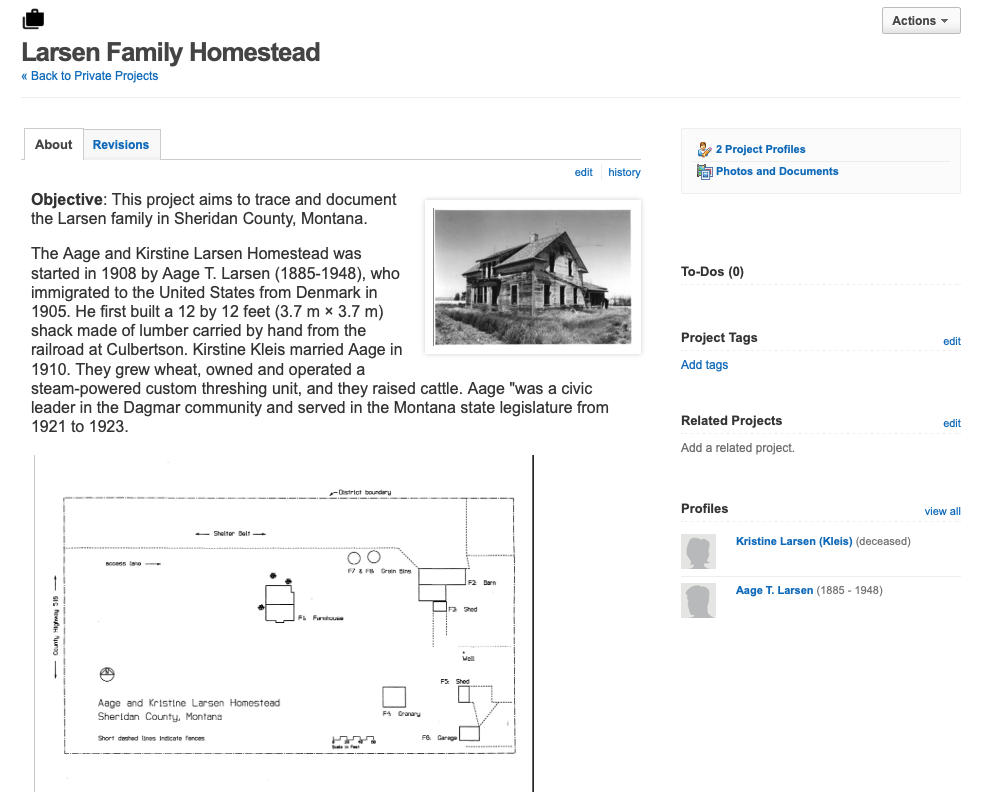
Why Make a Private Project Public?
Private projects are the perfect place to work on “in-progress” research or to gather notes on sensitive subjects that aren’t quite ready for public eyes. Many people also prefer to use private projects as a space to draft and organize their project descriptions before making it available to the public. Now, once you’ve perfected your draft, you can easily make it public, inviting others in the Geni community to join in, contribute, and collaborate.
How to Make a Private Project Public
Making your project public is quick and straightforward. Navigate to your private project page. Click on the Actions button at the top right of the page and select “Make public.”
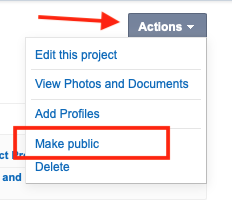
To ensure a smooth transition and protect user privacy, a few things will happen behind the scenes when you convert your project. Before the project becomes public we will:
- Remove any profiles you could not have added to a public project, including all private profiles.
- Make every document in the project public.
- Hide the history of the project from the time it was private.
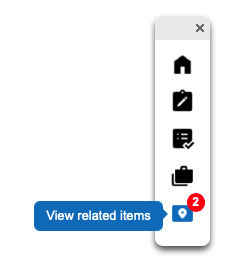
Any existing Notes and To-Dos for the project will remain private to you. They can still be found in your Geni Pro Workspace or your Geni Pro Workspace toolbox on the project page.
Note: It is important to understand that this action is permanent. Once a project is made public, it cannot be made private again.
Once the project is public, it will be discoverable by anyone on the Genealogy Projects page. Other Geni users will then be able to join as collaborators to help build out the research, or simply follow the project to receive updates.

We hope this update makes it even easier to organize your research in the Geni Pro Workspace before sharing your hard work in the World Family Tree with others. We’re excited to see what amazing projects you decide to share with the community!


 Genealogy Discussions
 Genealogy Projects
 Popular Genealogy Profiles
 Surnames
 The Geni Blog
 The World Family Tree